

• OpenCritic
  • About Us
  • Write For Us
  • Privacy Policy
  • Review Policy
Become a Patron!
  • Features
  • Guides
  • News
  • Reviews
  • Nintendo
  • PC
  • PlayStation
  • Xbox
  • Opt-out preferences
No Result
View All Result
Game Sandwich
  • Features
  • Guides
  • News
  • Reviews
  • Nintendo
  • PC
  • PlayStation
  • Xbox
  • Opt-out preferences
No Result
View All Result
Game Sandwich
No Result
View All Result
Home Guides

How to fix Pokémon Go Plus Plus not auto-catching

John Hansen by John Hansen
July 26, 2023
Reading Time: 2 mins read
A A
How to fix Pokémon Go Plus Plus not auto-catching

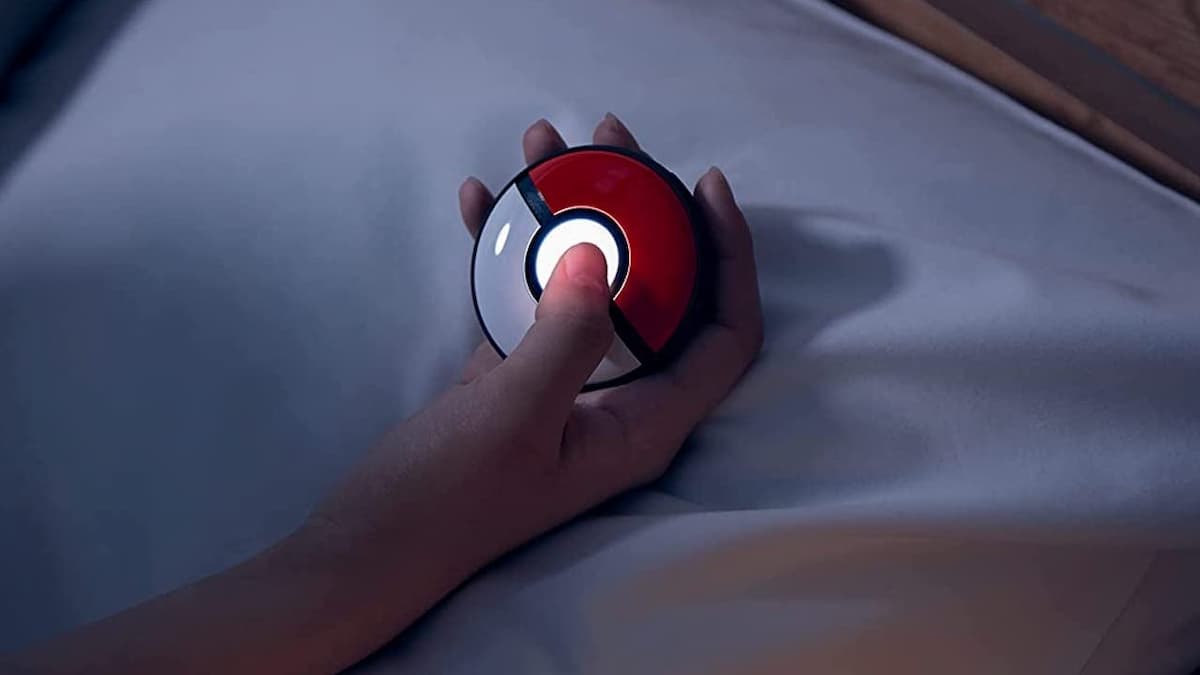
Image via The Pokémon Company

While the device has one of the worst names we have ever heard, the Pokémon Go Plus Plus is a useful tool for the Pokémon Sleep and Pokémon Go faithful. It integrates with both apps to help you perform various actions easier. On the Pokémon Go side, it can actually automatically catch Pokémon without you looking at the screen. What if it’s not working, though? Here is how to fix Pokémon Go Plus Plus not auto-catching.

How to get Pokémon Go Plus Plus to auto-catch

If you’re Pokémon Go Plus Plus is not auto-catching, there are a few simple steps you should focus on checking first. First, ensure your device is properly connected to your phone via Bluetooth. Also, check your internet because your phone needs to access the game to catch creatures. Be sure to check your settings in Pokémon Go so auto-catch is enabled.

If all of the above seem to be functioning, try to restart your devices. Running from a clean boot is sometimes the way to get things working. Let’s also look at your inventory in Pokémon Go. First, check your Pokémon inventory and make sure you have space available. You can purchase extra Pokémon Storage in the store or transfer unwanted Pokémon to free up space.

Additionally, auto-catch only works with regular Pokéballs. If you have run out, the game will stop auto-throwing. The Pokémon Go Plus Plus can throw Great and Ultra Balls with a button press, but not on its own.

One of the above areas should fix your Pokémon Go Plus Plus not auto-catching. If you are still experiencing issues, you may want to check if your device is broken. You can check the Nintendo Support page to see if your warranty is covered.

More From Us:
Top 10 Games Trapped on the GameCube

John Hansen

John Hansen

John grew up idolizing Mario and Sonic the Hedgehog during the height of Nintendo vs. Sega. He also quickly became obsessed with The Legend of Zelda and enjoys zombie and various team-oriented games, Overwatch in particular. Nowadays, he is merely counting the days down until Bioshock and Banjo-Kazooie make their reemergence back in the market. You can follow him on Bluesky: @johnhansen.bsky.social

Related Posts

Tomodachi Life: Living the Dream is the Unexpected Turn I Need in Gaming Right Now
Features

Tomodachi Life: Living the Dream is the Unexpected Turn I Need in Gaming Right Now

March 31, 2026
Nintendo Physical Games Will Start Selling for More Than Digital Copies
News

Nintendo Physical Games Will Start Selling for More Than Digital Copies

March 25, 2026
Nintendo Announces Its PAX East 2026 Lineup Headlined By Pokémon Champions
News

Nintendo Announces Its PAX East 2026 Lineup Headlined By Pokémon Champions

March 19, 2026
Top 10 Metroidvania Video Games
Features

Top 10 Metroidvania Video Games

March 19, 2026
  • OpenCritic
  • About Us
  • Write For Us
  • Privacy Policy
  • Review Policy

Game Sandwich, LLC © 2023

No Result
View All Result
  • Features
  • Guides
  • News
  • Reviews
  • Nintendo
  • PC
  • PlayStation
  • Xbox
  • Opt-out preferences

Game Sandwich, LLC © 2023