

• OpenCritic
  • About Us
  • Write For Us
  • Privacy Policy
  • Review Policy
Become a Patron!
  • Features
  • Guides
  • News
  • Reviews
  • Nintendo
  • PC
  • PlayStation
  • Xbox
  • Opt-out preferences
No Result
View All Result
Game Sandwich
  • Features
  • Guides
  • News
  • Reviews
  • Nintendo
  • PC
  • PlayStation
  • Xbox
  • Opt-out preferences
No Result
View All Result
Game Sandwich
No Result
View All Result
Home Guides

How to unlock Daisy in Disney Dreamlight Valley

Aden Carter by Aden Carter
May 1, 2024
Reading Time: 2 mins read
A A
Disney-Dreamlight-Valley-Unlock-Daisy-Daisy-Standing-Near-Well

Screenshot by Game Sandwich

Are you excited for the cartoon fashionista to join your world in Disney Dreamlight Valley? The game has seen constant updates since it was released. With the Thrills and Frills update, Daisy Duck has officially been added to the game. As with any character, you need to unlock her if you want to complete her quests and, more importantly, use the boutique. This guide will show you how to unlock Daisy in Disney Dreamlight Valley. Get ready for some high fashion to make its way to your valley.

How to get Daisy in Disney Dreamlight Valley

After downloading the Thrills and Frills update for Disney Dreamlight Valley, you will see that you have additional quests that you can complete. Mickey Mouse will have the “You Have Mail!” quest available. Activate this quest and speak to Mickey. He will tell you that Daisy wrote a letter letting everyone know that she wants to come to the valley and that she “has been on one long camping trip.”

Disney-Dreamlight-Valley-Unlock-Daisy-Player-Talking-to-Mickey
Screenshot by Game Sandwich

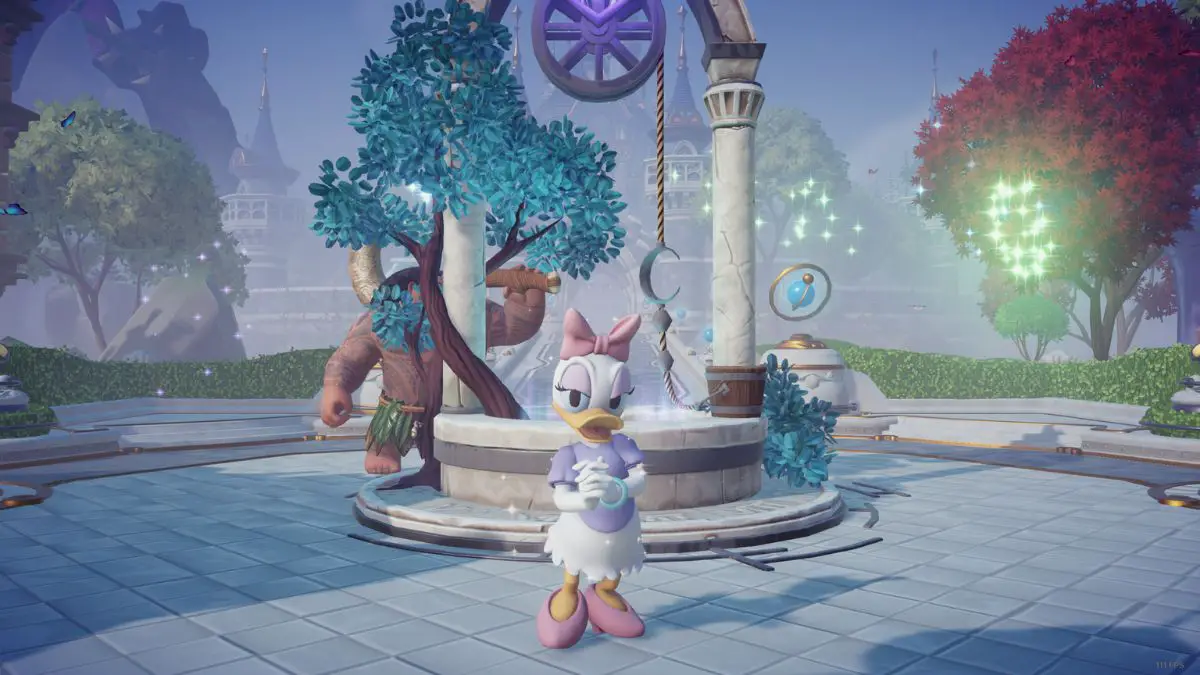
After talking to Mickey, you will be given Daisy’s house to place in the valley. Place down her house wherever you can make room for it and she will automatically become unlocked afterward. You should immediately get a cutscene showing her appear in front of the well. You will then be able to join her in her home to complete the quest that Mickey gave you.

Daisy will be around to help you unlock the boutique rather quickly. All it takes is for you to craft the Wonderland Amplification Mixture. Once that is done, you will be able to place the boutique in your valley and officially start Daisy’s questline. This will require you to complete boutique challenges, get Daisy Coins, and spend them on items in the boutique. At least you have another resident to play Scramblecoin with.


More From Us:
How to make Sweet Popcorn in Disney Dreamlight Valley

Aden Carter

Aden Carter

Aden Carter is the lead writer at Game Sandwich. He has been writing for over three years professionally but has gamed since he was a child and could hold an N64 controller. When he isn't writing up news and guides, he is working on D&D campaigns and rolling some dice.

Related Posts

Dark Outlaw Games is Closing Down One Year After Opening
News

Dark Outlaw Games is Closing Down One Year After Opening

March 24, 2026
Crimson Desert Player Fighting Abominable
News

Crimson Desert Developer Responds to Control Complaints by Telling Players to Give it Time

March 20, 2026
Nintendo Announces Its PAX East 2026 Lineup Headlined By Pokémon Champions
News

Nintendo Announces Its PAX East 2026 Lineup Headlined By Pokémon Champions

March 19, 2026
TCG Card Shop Simulator Gets Tournaments, Camera Mode in New Update
News

TCG Card Shop Simulator Gets Tournaments, Camera Mode in New Update

March 19, 2026
  • OpenCritic
  • About Us
  • Write For Us
  • Privacy Policy
  • Review Policy

Game Sandwich, LLC © 2023

No Result
View All Result
  • Features
  • Guides
  • News
  • Reviews
  • Nintendo
  • PC
  • PlayStation
  • Xbox
  • Opt-out preferences

Game Sandwich, LLC © 2023