

• OpenCritic
  • About Us
  • Write For Us
  • Privacy Policy
  • Review Policy
Become a Patron!
  • Features
  • Guides
  • News
  • Reviews
  • Nintendo
  • PC
  • PlayStation
  • Xbox
  • Opt-out preferences
No Result
View All Result
Game Sandwich
  • Features
  • Guides
  • News
  • Reviews
  • Nintendo
  • PC
  • PlayStation
  • Xbox
  • Opt-out preferences
No Result
View All Result
Game Sandwich
No Result
View All Result
Home Guides

How to Download Breath of the Wild and Tears of the Kingdom Upgrade with Nintendo Switch Online + Expansion Free

John Hansen by John Hansen
June 5, 2025
Reading Time: 3 mins read
A A
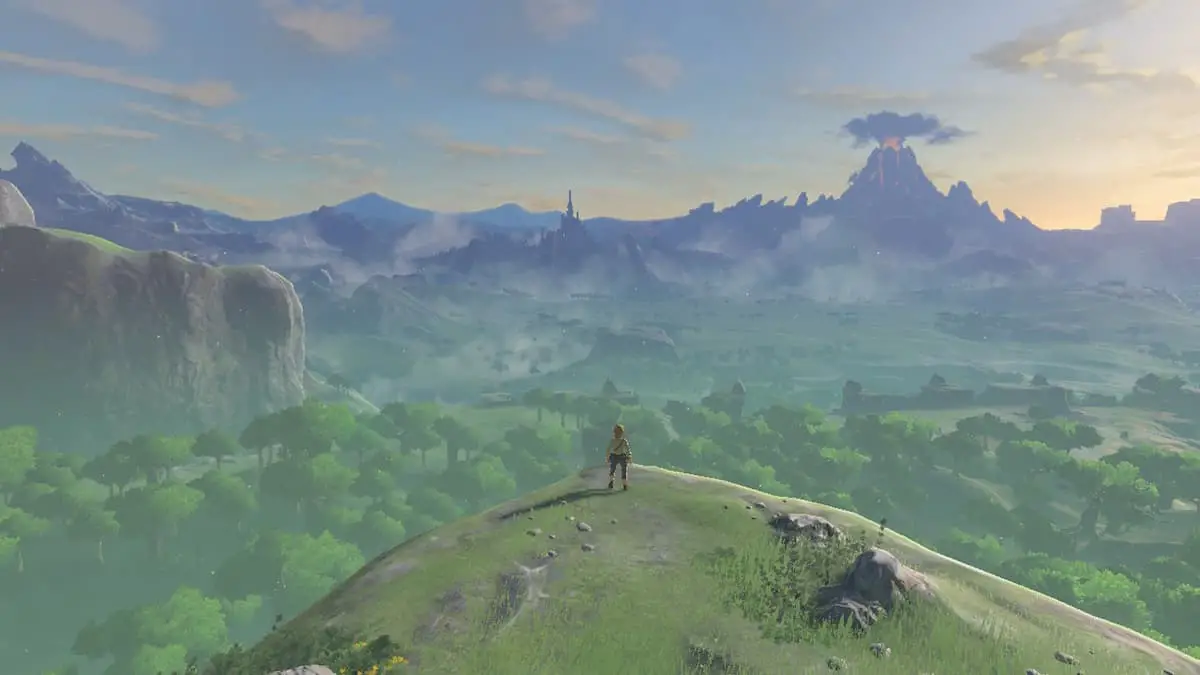
Link looking at Hyrule at the beginning of Breath of the Wild.

Screenshot by Game Sandwich

If you are setting up your new Nintendo Switch 2 system and ready to jump back into The Legend of Zelda: Breath of the Wild and Tears of the Kingdom, you will definitely want to download the new enhanced Switch 2 Editions of the games. While you can purchase the upgrade packs for $10, they are also free to Nintendo Switch Online + Expansion members. Some are a little confused how to get these downloads for free, so here is how to do it.

How to Download Breath of the Wild and Tears of the Kingdom Upgrade for Free

As stated above, you need to be a current subscriber of Nintendo Switch Online + Expansion to get the Switch 2 Breath of the Wild and Tears of the Kingdom upgrades for free. This is the subscription that lets you play online games and gives you access to the Nintendo 64, GameCube, and Game Boy Advance libraries.

To begin, first start the Nintendo eShop and sign into your account. Next, you need to find the Breath of the Wild and Tears of the Kingdom upgrade versions. You can easily do this by going to the search bar and typing in Zelda. You can also find them on the Nintendo website. The upgrades will be the ones with the red Switch 2 banners at the top of their images.
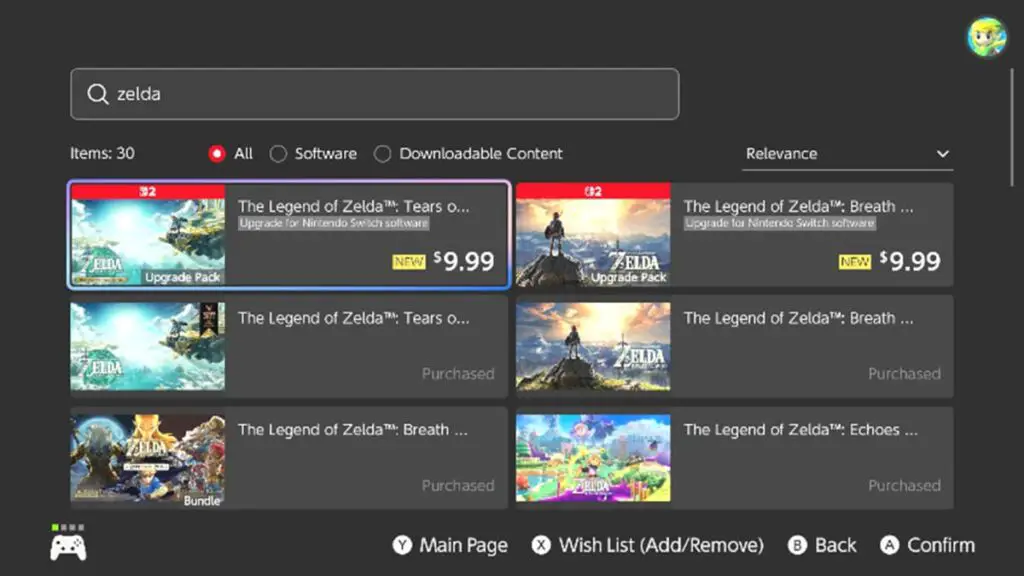
Screenshot by Game Sandwich

When you are in the page for the game you want, do NOT select Continue on the right. Instead, if you are a NSO+ subscriber, you will see a small banner and the option to download the upgrade for free just under the title for the game.
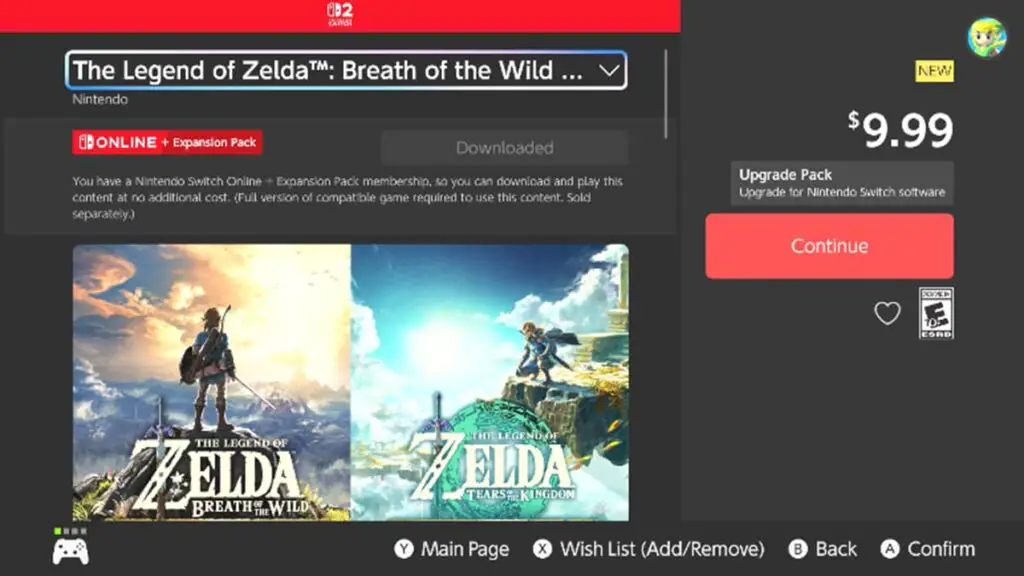
The Breath of the Wild upgrade page on Nintendo Switch 2 eShop.
Screenshot by Game Sandwich

Click that and if you already have the game installed, your console will automatically update Tears of the Kingdom or Breath of the Wild with their upgrades. If you don’t have the game installed, it should set the whole thing to download.

More from us:
Sonic Racing CrossWorlds Leaks Show SpongeBob, TMNT, Avatar, and Minecraft Coming to Roster, Frontiers 2 in 2026

John Hansen

John Hansen

John grew up idolizing Mario and Sonic the Hedgehog during the height of Nintendo vs. Sega. He also quickly became obsessed with The Legend of Zelda and enjoys zombie and various team-oriented games, Overwatch in particular. Nowadays, he is merely counting the days down until Bioshock and Banjo-Kazooie make their reemergence back in the market. You can follow him on Bluesky: @johnhansen.bsky.social

Related Posts

Everything I Played at PAX West 2026
Features

Everything I Played at PAX West 2026

September 9, 2026
Rumor: Nintendo Direct to be Held in September
News

Rumor: Nintendo Direct to be Held in September

August 31, 2026
Changes May Come to the Pokemon Battle System in the Future
News

Changes May Come to the Pokemon Battle System in the Future

August 24, 2026
Modern Warfare 4 Beta Impressions: A Strong Start with a Promising Future
Features

Modern Warfare 4 Beta Impressions: A Strong Start with a Promising Future

August 24, 2026
  • OpenCritic
  • About Us
  • Write For Us
  • Privacy Policy
  • Review Policy

Game Sandwich, LLC © 2023

No Result
View All Result
  • Features
  • Guides
  • News
  • Reviews
  • Nintendo
  • PC
  • PlayStation
  • Xbox
  • Opt-out preferences

Game Sandwich, LLC © 2023