


• OpenCritic
  • About Us
  • Write For Us
  • Privacy Policy
  • Review Policy
Become a Patron!
  • Features
  • Guides
  • News
  • Reviews
  • Nintendo
  • PC
  • PlayStation
  • Xbox
  • Opt-out preferences
No Result
View All Result
Game Sandwich
  • Features
  • Guides
  • News
  • Reviews
  • Nintendo
  • PC
  • PlayStation
  • Xbox
  • Opt-out preferences
No Result
View All Result
Game Sandwich
No Result
View All Result
Home Guides

How to do motherlode on Sims 4

Steph Roehler by Steph Roehler
October 30, 2023
Reading Time: 3 mins read
A A
How to do motherlode on Sims 4

If you look at The Sims 4 community, all fans play the game differently. That’s the appeal of The Sim games — it’s your game, your sim. Do whatever you want. While some players love the challenge of building a home on a budget and earning more money throughout their sim’s career, others prefer to start wealthy. That way, they can buy any homes, decor, and murder bunkers to their heart’s desire. If you’re the latter, cheat codes are your friends, and we’re here to explain how to use motherlode in The Sims 4.

How to use cheat codes in The Sims 4

Luckily for The Sims 4 fans who like to modify their games, cheats are built into the game. Some of the most famous ones include moving objects and, of course, motherlode.

To open up the cheat console in-game, use your keyboard to enter Ctrl + Shift + C and a prompt will appear in the top left corner. For consoles, press L1 + L2 +R1+ R2. Then, inside the cheat console, you type in whatever cheat code you want to use. Once the cheat is typed, press Enter (PC), A (Xbox), or X (PlayStation).

Using cheats to gain money, freely shift decor/furniture, and access hidden objects can make your builds bigger and more beautiful, so feel free to use the tools the devs gave you.

Related: Building Houses In The Sims 5 Will Be A Lot Easier

How to cheat for money in The Sims 4
Screenshot by Game Sandwich

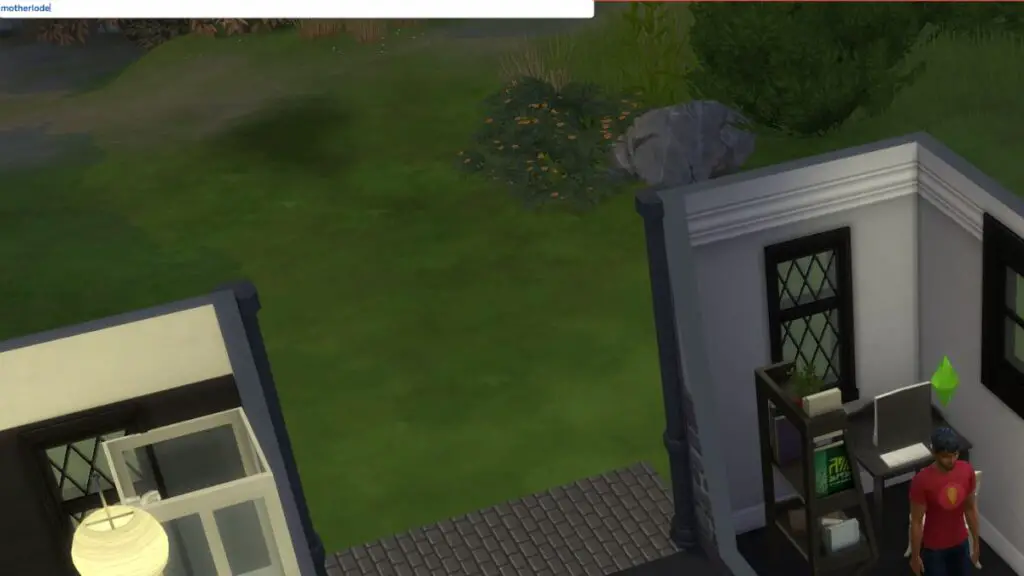
Many of the most popular The Sims 4 cheats are about money. If you’re looking to pad your sim’s bank account, there are three cheats you’ll want to use. For 1,000 simoleans, use “rosebud” or “kaching”. If you want more, use “motherlode” for a whopping 50,000 simoleons. You can use these cheats as many times as you want, so feel free to make your sim a simoleonaire if you want to.

More From Us: How to rotate furniture in The Sims 4

Steph Roehler

Steph Roehler

Steph is an eclectic writer who loves SciFi Fantasy games from Diablo to Dark Souls to Teamfight Tactics. They love a good random indie hit as much as they love the next Assassin's Creed, so she's happy to figure out this wide range of game mechanics with you.

Related Posts

New art for Dead by Daylight's 10th anniversary
News

Dead by Daylight Kicks Off 10th Anniversary with Collector’s Set, Party Announcement

December 16, 2025
Lords of the Fallen Female Character Close Up
News

“Attractive Female Characters” in “Revealing Outfits” Coming to Lords of the Fallen 2

December 16, 2025
Hollow Knight: Silksong Sea of Sorrows teaser featuring Hornet standing in water.
News

Hollow Knight: Silksong – Sea of Sorrow DLC Announced for 2026

December 15, 2025
Diana holding up a glowing hand in the Pragmata demo
Features

Pragmata Demo Preview: Satisfying Combat Lays the Groundwork for an Anticipated Release

December 15, 2025
  • OpenCritic
  • About Us
  • Write For Us
  • Privacy Policy
  • Review Policy

Game Sandwich, LLC © 2023

No Result
View All Result
  • Features
  • Guides
  • News
  • Reviews
  • Nintendo
  • PC
  • PlayStation
  • Xbox
  • Opt-out preferences

Game Sandwich, LLC © 2023