



Survival games are great for a hardcore crowd that wants to spend all of their time grinding away to get their items. However, a lot of us don’t want to spend all of our free time doing busy work for things we have already proven we can get. That is why we are always happy to see an item dupe glitch pop up. Duplicating what you already have is an easy way to save time and work on more pressing issues. Here is how to do the current infinite items glitch in Palworld.
Note: this infinite item dupe glitch in Palworld is current as of 1/23/24, but as the game is in early access and will receive updates that address various bugs and glitches, it surely will be removed at some point. We will update this article if we find that the glitch has been fixed and replace it with any other known dupe glitches that the community finds.
Set up for the resource item dupe glitch
To do the current infinite items glitch in Palworld, you first need to go to one of your bases. For this glitch, we will be duplicating resource items that are used to build base items, so you need to have at least enough to build one of the items that can only be built in your base. For our example, we will be using the Egg Incubator to get some Ancient Civilization Parts, but you can use something that takes Ingots, so you don’t have to farm ore. This glitch is pretty easy, but it might take a little bit of practice, as you have to get the timing right to make the items duplicate. We can also confirm that it works on both Steam and Xbox.
How to do Palworld resource item dupe glitch
Start by going to the outer blue ring of your base. Build a Wooden Chest nearby that you can drop your duplicated items into. Now, go into the build menu and select the base item that has the resources you want to duplicate. Reminder: you must have at least enough of those resources in your base to build the structure once. Do NOT have the items on your person. Make sure they are either in a different chest in the base or in the one you just built nearby.
What you need to do is set the item to start building within your base at the same moment that you walk outside of the base. What we like to do is put our character on the line while facing inward toward the base. The game should show you being able to build the item, but if you take a step backward, it will say you don’t have enough resources. As you step backward out of the base, build the item the exact moment you get the message you don’t have enough resources.
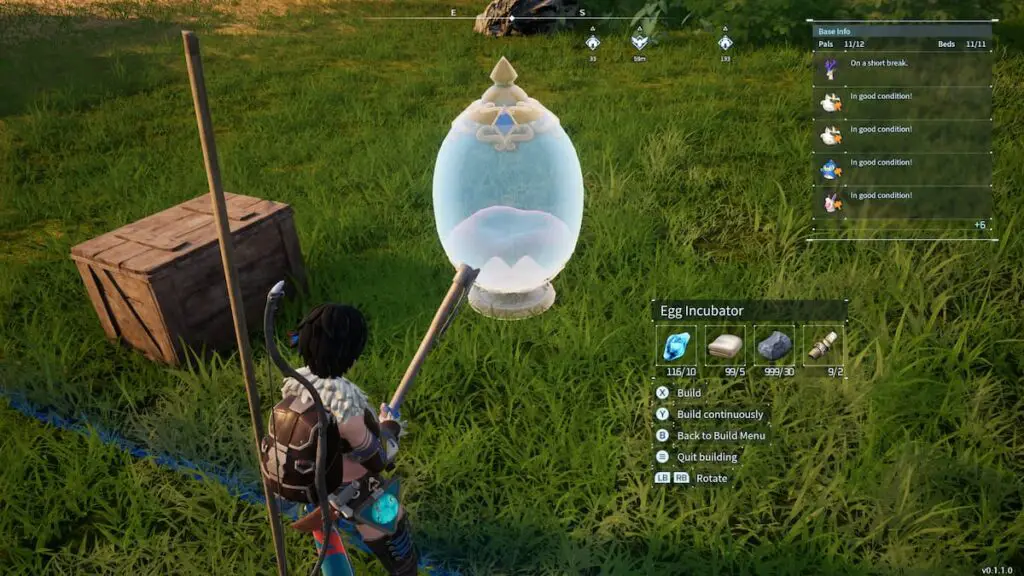
Once the item has been set and is ready to build, go to it and cancel the build. Canceling the build will put the resources you spent on that base item into your inventory. Place them into the nearby chest, and you can check your other chests to see that they never had anything taken out, provided your timing was exact. After you put the items into your chest, you can continuously do this glitch to get more items that might take a long time to craft or gather.