

• OpenCritic
  • About Us
  • Write For Us
  • Privacy Policy
  • Review Policy
Become a Patron!
  • Features
  • Guides
  • News
  • Reviews
  • Nintendo
  • PC
  • PlayStation
  • Xbox
  • Opt-out preferences
No Result
View All Result
Game Sandwich
  • Features
  • Guides
  • News
  • Reviews
  • Nintendo
  • PC
  • PlayStation
  • Xbox
  • Opt-out preferences
No Result
View All Result
Game Sandwich
No Result
View All Result
Home Guides

Overwatch 2 Perks Explained

John Hansen by John Hansen
February 12, 2025
Reading Time: 3 mins read
A A
Overwatch 2 Perks Explained

Image via Blizzard Entertainment

Starting with Season 15, Overwatch 2 is introducing perks to its cast of heroes. This feature is one of the biggest additions to the game since the original launch in 2016, completely changing how a character works in specific areas in the middle of a match. Of course, with something that will have such a big impact on the core game, there are many questions. Here is an explanation of perks in Overwatch 2.

How do perks work in Overwatch 2?
Overwatch 2 Perks Explained
Image via Blizzard Entertainment

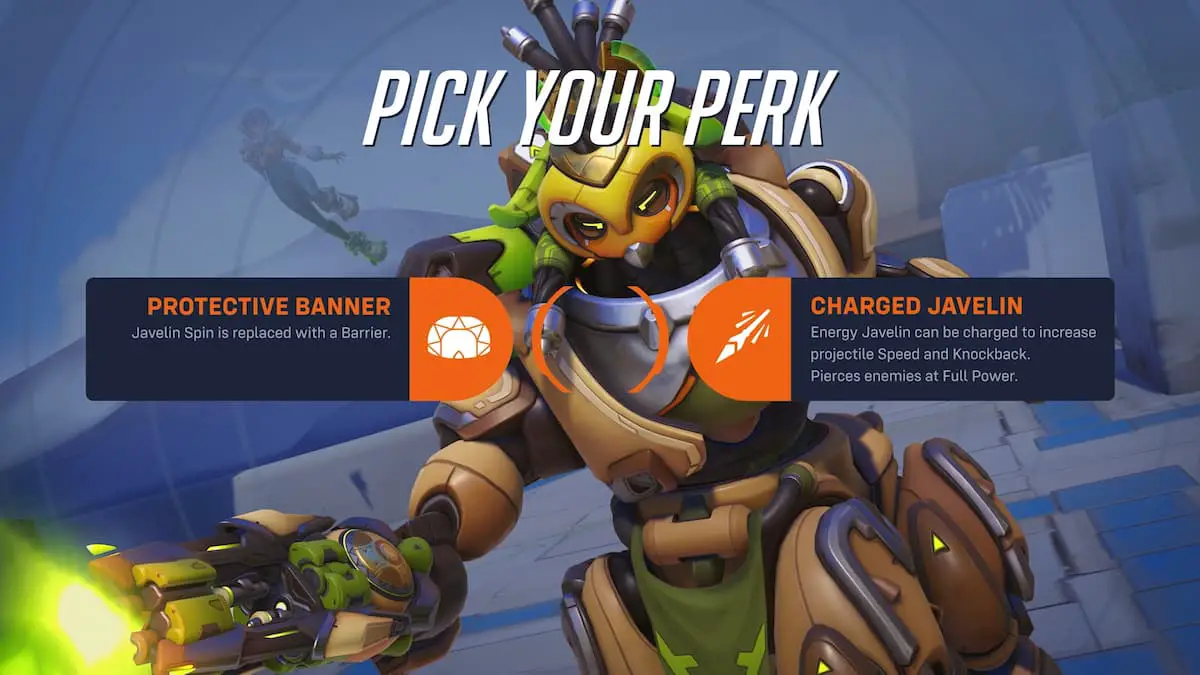
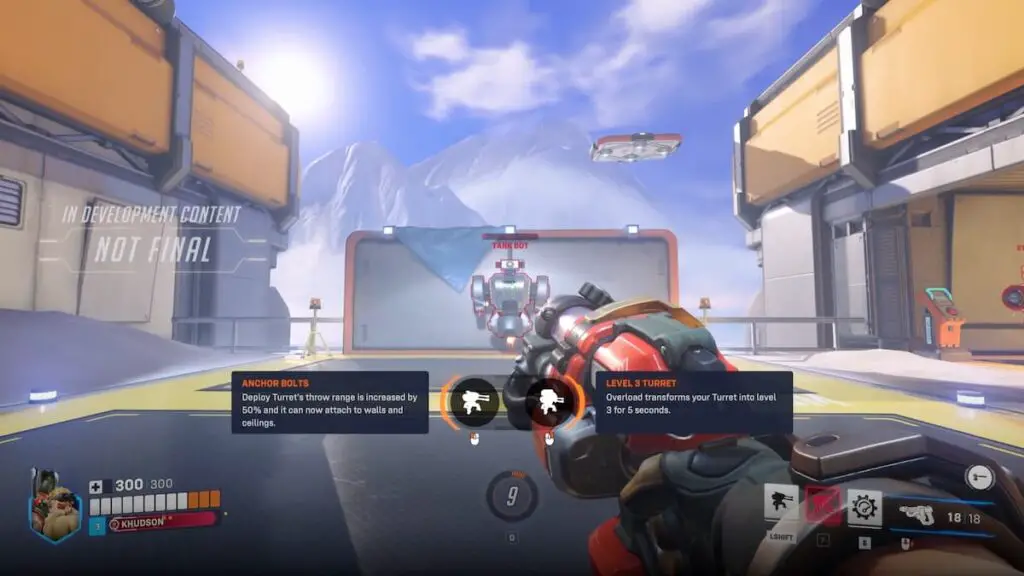
Every hero has a total of four perks: two minor and two major. As you play a hero in a match, they will level up twice. First, you get to choose one of the two minor perks to apply, and then one of the two majors. Minor perks are usually stat increases to the hero in some way. Major perks have a bigger impact, sometimes giving the hero a completely different ability from their base kit or changing the way they play significantly.

Your progress towards leveling up is decided similarly to how you get ultimate charge. Eliminations, damage dealt, healing, and more factor into it. When you have leveled up, you will get an on-screen prompt, and Athena will announce you have leveled up. We were told that it takes about one-third of a match on average to level up.

Your level up progress in a match is exclusive to that hero. For example, if you play Reinhardt and get him to level 2, switching to D.Va means you need to start over the leveling process. However, leveling up D.Va in this instance will go a bit faster to make up for the change. If you were to switch back to Reinhardt, you would pick up his leveling progress where you left off.

How to assign perks

There are two ways to select your perk when you level up. The standard way is to hold ALT and left-click or right-click on a PC or use the d-pad and bumpers on consoles. There’s additionally a quick single button press you can enable for your perk choices. Once you have chosen a perk, it will remain assigned to that hero for the rest of the match.

More from us:
Overwatch 2 2025 – Perks, Hero Bans, Map Voting, Stadium Mode, and More Coming This Year

John Hansen

John Hansen

John grew up idolizing Mario and Sonic the Hedgehog during the height of Nintendo vs. Sega. He also quickly became obsessed with The Legend of Zelda and enjoys zombie and various team-oriented games, Overwatch in particular. Nowadays, he is merely counting the days down until Bioshock and Banjo-Kazooie make their reemergence back in the market. You can follow him on Bluesky: @johnhansen.bsky.social

Related Posts

Grand Theft Auto 6 Online ‘Expected’ Next Year 
News

Grand Theft Auto 6 Online ‘Expected’ Next Year 

September 18, 2026
GTA 6 Album Cover
News

We Got a Physical Release of the GTA VI Album Before GTA VI

September 17, 2026
Cloudbreaker Review (PC): Starting on High Only to Fall From Grace
Reviews

Cloudbreaker Review (PC): Starting on High Only to Fall From Grace

PlayStation Cuts Hideo Kojima’s PHYSINT, Xbox Steps in as New Partner
News

PlayStation Cuts Hideo Kojima’s PHYSINT, Xbox Steps in as New Partner

September 10, 2026
  • OpenCritic
  • About Us
  • Write For Us
  • Privacy Policy
  • Review Policy

Game Sandwich, LLC © 2023

No Result
View All Result
  • Features
  • Guides
  • News
  • Reviews
  • Nintendo
  • PC
  • PlayStation
  • Xbox
  • Opt-out preferences

Game Sandwich, LLC © 2023