



Are you trying to use emotes in Remnant 2? Emotes are a fun way to express a player’s feelings of accomplishment or disappointment. As you’re playing co-op you might run into another player character giving thumbs up or cheering.
If you seem to hit every button but don’t quite figure out how to emote yourself, it can be a bit frustrating. While the controls are quite intuitive in Remnant: From The Ashes, the predecessor to Remnant 2, returning players will find that emotes are bound to a new input. This guide will focus on how to emote in Remnant 2 across all platforms.
Remnant 2 – How to use emotes
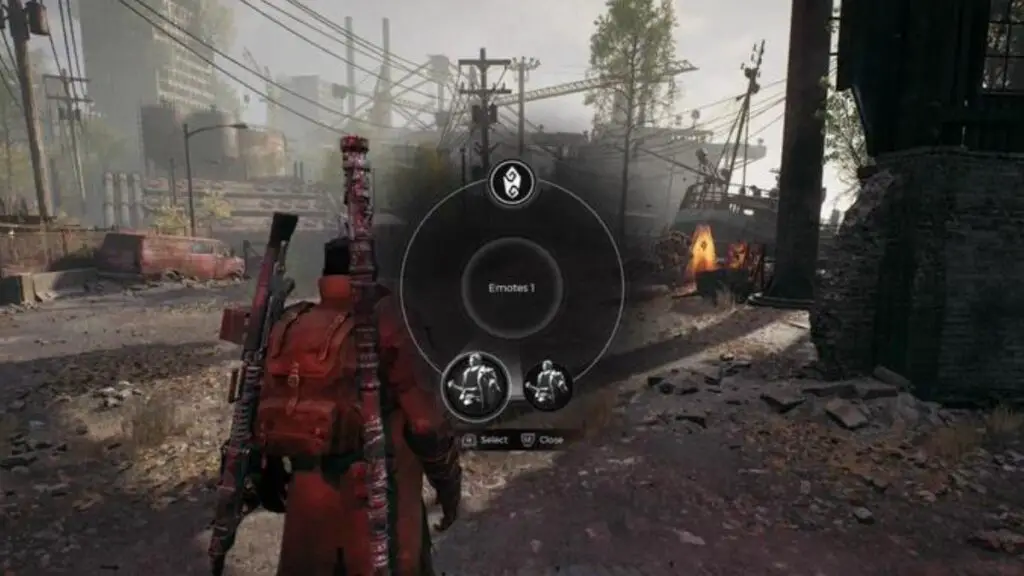
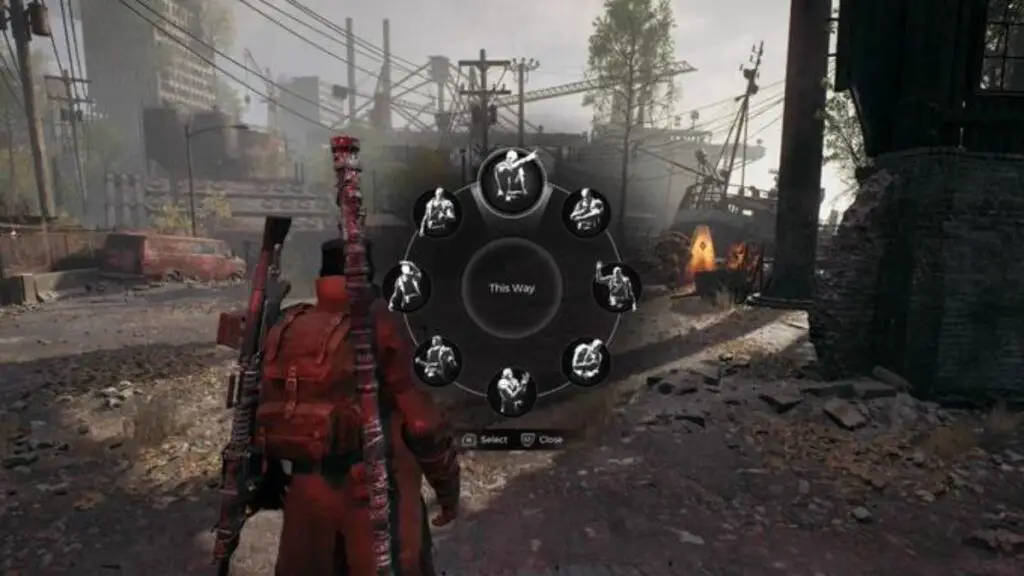

If you want to use emotes in Remnant 2 on PC simply follow these steps:
- Hold down the G key
- Move your mouse to navigate the menu wheel and select Emote pack one or two
- Highlight the emote you want to use and left-click to use it
To use emotes on Xbox do the following
- Hold the down button on the D-Pad
- Navigate the menu wheel using the right analog stick
- Select Emote pack one or two using RB (Right Bumper)
- Highlight the emote you want to use and hit RB once more
To use emotes on PlayStation do the following
- Hold the down button on the D-Pad
- Navigate the menu wheel using the right analog stick
- Select Emote pack one or two using R1
- Highlight the emote you want to use and hit R1 once more
Now that you know how to use emotes in Remnant 2 you can have more fun with the social aspect of co-op. Using emotes is an excellent way for players to express themselves without relying on voice chat or messaging. It can also help guide fellow players toward items and special enemies. After successfully completing a run-through of Adventure Mode or defeating a boss, you can express your excitement by giving high fives. Similarly, if you experience defeat, you can communicate your disappointment by using the fail emote.


